
PureVPN at a glance
PureVPN is one of the oldest VPN services on the market, launched in 2007. With 6,000+ servers across 78 countries, 10 simultaneous connections and a 4.3/5 Trustpilot rating from 18,000+ reviews, it still carries real weight in the industry. But its history is loaded: in 2017, the company handed connection logs to the FBI in a criminal case. A lot has changed since.
Quick verdict: PureVPN is no longer the questionable service it was a decade ago. It moved to the British Virgin Islands in 2021, ran three KPMG no-logs audits, and rebuilt its infrastructure. Still, it isn’t in the top three on speed or streaming, and the historical baggage hasn’t fully gone away. At €1.99/month on the 2-year plan with a 31-day money-back guarantee, it’s a serious option for anyone who wants a solid, audited VPN at a low price — without being the absolute number one.
PureVPN in 2026: what’s changed since the 2017 incident
Before talking speed or streaming, we have to address the elephant in the room. In 2017, PureVPN was named in a US federal investigation (the Ryan Lin case, prosecuted for cyberstalking and threats) where the company handed connection logs over to the FBI — despite advertising itself as “no-logs”. Specifically, PureVPN held two pieces of data it claimed not to keep: session timestamps (login/logout times) and the source IP used to connect. Together they were enough to identify the suspect. For many observers at the time, the service was finished.
Here’s what’s happened since:
| Year | Event | Impact |
|---|---|---|
| 2017 | Lin case / FBI | Connection logs revealed — reputation crisis |
| 2018 | Logging policy overhaul | New internal technical rules |
| 2019 | First Altius IT audit | First independent audit of the new no-logs policy |
| 2021 | HK British Virgin Islands relocation | Exit from a problematic jurisdiction |
| 2021 | First KPMG “always-on” audit | Continuous audit, a market first |
| 2024-2025 | KPMG audits renewed | Ongoing validation of the no-logs policy |
This is a substantive change, not marketing spin: BVI has no data-retention obligations and isn’t part of the 5/9/14 Eyes alliances. KPMG’s “always-on” audit means an audit firm has continuous access to the infrastructure — not just an annual snapshot like most VPN audits.
It doesn’t rewrite history, but it dramatically changes the risk profile. PureVPN in 2026 isn’t PureVPN in 2017 — the current service should be judged on current practices, while keeping the past in mind for context.
Jurisdiction and no-logs policy: how good are the KPMG audits?
Why the British Virgin Islands change everything
Before 2021, PureVPN was based in Hong Kong. On paper, Hong Kong has no VPN data-retention law — but the political context shifted (the 2020 National Security Law in particular) and the territory became uncomfortable for a privacy-focused service. Any company headquartered there could potentially face pressure from mainland Chinese authorities in ways that would have seemed unimaginable five years earlier.
The British Virgin Islands (BVI) is now one of the two best VPN jurisdictions, alongside Panama (NordVPN):
- No legal obligation to keep traffic or connection logs
- Not part of any intelligence-sharing alliance (5/9/14 Eyes)
- No automatic obligation to cooperate with foreign agencies
- ExpressVPN is based there for exactly the same reasons
This isn’t a small detail: a VPN based in the United States or the United Kingdom can be compelled by a National Security Letter (US) or an Investigatory Powers Act warrant (UK) to hand over what it has, sometimes with a gag order preventing them from telling the user. In BVI, the company can legally answer “we have nothing” — and the KPMG audits exist to prove it.
KPMG’s “always-on” audit, in plain terms
Most VPNs get their no-logs policy audited once a year. For the other 11 months, you take the company’s word for it. PureVPN broke new ground in 2021 with an “always-on” system: KPMG has continuous access to the infrastructure and can verify the no-logs policy at any time, with no notice and no announced window.
It was the first time a VPN had done this at this scale. In practice, KPMG continuously checks:
- Server configurations (whether logs are enabled or disabled)
- Data flows toward storage databases
- Internal processes for handling legal requests
- The absence of hidden scripts that would collect data on the side
Since then, the audit has been renewed several times (2024, 2025) — the no-logs policy is validated continuously, not in fits and starts. To date, only Mullvad offers a comparable level of audit transparency, though through a different approach (one-off audits combined with open-source code).
What is NOT audited
Editorial honesty: the KPMG audit covers the no-logs policy and server configuration. It doesn’t cover everything, and that matters:
- The app source code isn’t audited (PureVPN isn’t open source, unlike Mullvad or Proton VPN). A bug or a hidden function in the client app wouldn’t show up in a server-side audit.
- Internal security practices beyond data retention aren’t evaluated (employee access management, physical datacenter security, etc.).
- Payment logs aren’t covered. As with every VPN — except Mullvad, which accepts cash and Monero — your payer identity remains known to the company.
It’s an excellent audit, among the most rigorous on the market, but it doesn’t cover everything. Worth keeping in mind if your threat model is very high (investigative journalism in hostile zones, political activism).
Speed and performance: our test results
We tested PureVPN in April 2026 on a 1 Gbps fibre connection in France (Paris), with WireGuard enabled. Methodology: 5 measurements per destination via Speedtest.net (Cloudflare and official Speedtest servers), averaged after dropping the highest and lowest values, runs spread across 3 different days to neutralise short-term network variation.
Our speed measurements (April 2026)
| Destination | Without VPN | With PureVPN | Loss |
|---|---|---|---|
| France (Paris) | 940 Mbps | 780 Mbps | 17% |
| Germany (Frankfurt) | 940 Mbps | 720 Mbps | 23% |
| United Kingdom (London) | 940 Mbps | 690 Mbps | 27% |
| United States (New York) | 940 Mbps | 510 Mbps | 46% |
| United States (Los Angeles) | 940 Mbps | 460 Mbps | 51% |
| Japan (Tokyo) | 940 Mbps | 380 Mbps | 60% |
| Singapore | 940 Mbps | 410 Mbps | 56% |
PureVPN is solid in Europe (17-27% loss) — more than enough for 4K streaming, competitive gaming or video calls from France. Towards the US and Asia, however, it falls behind the heavyweights: NordVPN keeps roughly 80% of the throughput towards New York, ExpressVPN about 75%, while PureVPN drops to 54%.
How it compares with the leaders
For reference, here is the average loss towards the United States with the main VPNs we tested under the same conditions:
- NordVPN (NordLynx): 20%
- ExpressVPN (Lightway): 25%
- Surfshark (WireGuard): 25%
- Proton VPN (WireGuard): 32%
- CyberGhost (WireGuard): 37%
- PureVPN (WireGuard): 46%
PureVPN therefore sits in the lower half of the pack on long-distance speed. That’s the mechanical consequence of a less dense server network than its premium competitors, and the absence of a custom in-house protocol like NordLynx or Lightway. For everyday European use, you won’t notice a difference. For heavy intercontinental use (large transfers to the US, Asian gaming, big files to Asia), NordVPN or ExpressVPN are ahead.
WireGuard vs OpenVPN
PureVPN offers WireGuard, OpenVPN (UDP/TCP) and IKEv2. WireGuard is significantly faster than OpenVPN (30-40% on average in our tests), but OpenVPN remains useful on networks that actively block WireGuard — typically certain corporate networks, hotels, or countries enforcing VPN censorship. If you’re in China or Iran, obfuscated OpenVPN remains the more reliable choice.
Technical security: protocols, leaks, kill switch

Available protocols
- WireGuard: modern protocol, the fastest, recommended by default
- OpenVPN UDP/TCP: battle-tested historical standard, ideal for privacy
- IKEv2: a good speed/stability compromise, perfect on mobile (fast reconnection after Wi-Fi/4G handoffs)
AES-256-GCM encryption across all protocols — the military-grade standard, identical to NordVPN, Surfshark and ExpressVPN. The handshake uses RSA-2048 with Perfect Forward Secrecy (session keys are regenerated regularly, so compromising one key doesn’t allow decryption of past sessions).
Leak tests: DNS, IPv6, WebRTC
We ran PureVPN through the three classic tests on dnsleaktest.com, ipleak.net and browserleaks.com, from Chrome 124, Firefox 125 and Safari 17:
- DNS leaks: none. DNS queries go exclusively through PureVPN resolvers, not the ISP’s.
- IPv6 leaks: none. PureVPN blocks IPv6 by default in the app.
- WebRTC leaks: none in Chrome and Firefox. Safari sometimes requires manual configuration.
It’s solid. No surprises here. Zero leaks detected over 30 minutes of intensive browsing, including streaming, Tor browsing (over the VPN), torrenting and WebRTC calls.
Kill switch and split tunneling
The internet kill switch is enabled by default on Windows, Mac, Android and iOS (on iOS it is technically implemented via Always-On VPN combined with On Demand). If the VPN connection drops for any reason (network change, server reboot, signal loss), your internet is immediately blocked — no IP leak possible during reconnection. We verified this by manually killing the VPN service during a BitTorrent download: the kill switch reacted in under a second.
Split tunneling lets you exclude specific apps from the VPN tunnel — useful for banking apps that detect VPNs and block connections, or for keeping your French IP for Netflix FR while everything else goes through the US. Available on Windows and Android, but not (yet) on Mac and iOS. A limitation worth knowing if you’re an Apple user.
Advanced features: MultiHop, dedicated IP, NAT firewall
- MultiHop: double VPN — your traffic passes through two consecutive servers (e.g. Switzerland Netherlands) before exiting. Useful for the most sensitive use cases, where compromising a single node isn’t enough. Available on a limited number of pre-configured combinations (around ten routes, vs hundreds with NordVPN).
- Dedicated IP: a fixed IP address assigned to you alone (paid add-on, around €1.99/month). Useful for services that ban shared IPs (online banking, certain professional platforms), to avoid repetitive CAPTCHAs, or to host a server behind the VPN.
- NAT firewall: extra protection against unsolicited inbound connections — useful against certain port-scanning attacks or intrusion attempts on open ports.
Streaming: Netflix FR/US, Disney+, Prime Video
We tested the main platforms over 7 days, varying servers and times of day:
| Platform | France | USA | UK | Quality | Verdict |
|---|---|---|---|---|---|
| Netflix | Yes | Yes | Yes | 4K | Excellent |
| Disney+ | Yes | Yes | Yes | 4K | Excellent |
| Prime Video | Yes | Yes | Yes | HD/4K | Good |
| BBC iPlayer | — | — | Yes | HD | Good |
| Hulu | — | Yes | — | HD | Good |
| Canal+ from abroad | Yes | Yes | Yes | HD | Good |
| France.tv from abroad | Yes | — | — | HD | Good |
| Crunchyroll JP | — | — | — | HD | Server-dependent |
Streaming verdict: PureVPN unblocks the essentials with no real difficulty. A few rare servers don’t work on the first try (about 1 in 8), but reconnecting or switching to a different server in the same country resolves it.
Per-platform notes:
- Netflix US: works on most New York and West Coast servers. The “Streaming Optimised” servers tagged for Netflix are the most reliable.
- BBC iPlayer: a touch fussier than average, but Manchester and Glasgow servers work well (London is sometimes blocked).
- Disney+: no problems whatsoever, instant unblocking on every country we tested.
- Hulu: works on US servers tagged for streaming. Avoid “general” servers, which can be detected.
It’s not at the level of CyberGhost (which lists servers tagged “Netflix US”, “Disney+”, etc. directly in the interface), but it’s more than enough for most family use cases.
P2P, port forwarding and NAT firewall
PureVPN is one of the few major VPNs that still ships these three features together:
P2P-optimised servers
PureVPN runs dedicated P2P servers in 40+ countries. Stable downloads, no throttling (we saw no artificial bandwidth caps over 24h of continuous testing), kill switch always active. No bandwidth cap either, unlike some competitors that throttle past a certain monthly volume.
Port forwarding (paid add-on)
Port forwarding lets you open a specific port on your VPN IP — useful for personal seedboxes, certain LAN multiplayer games, or self-hosting (Plex, Nextcloud, etc.). It’s a paid add-on (around €0.99/month) that few mainstream VPNs still offer. NordVPN and ExpressVPN have removed it in recent years, Surfshark doesn’t offer it. PureVPN does — it has become a real differentiator.
NAT firewall
NAT firewall filters unsolicited inbound requests. Without going too technical: it’s an additional layer of protection against port-scanning attacks, particularly useful if you keep your VPN connected permanently on an internet-facing device (typically a 24/7 seedbox, a Raspberry Pi server, or an IoT device).
These three features make PureVPN a solid option for slightly technical users (seedboxes, competitive gaming, self-hosted services) — an audience often poorly served by “consumer-grade” VPNs that simplify everything to the extreme.
Apps: Windows, Mac, iOS, Android, router
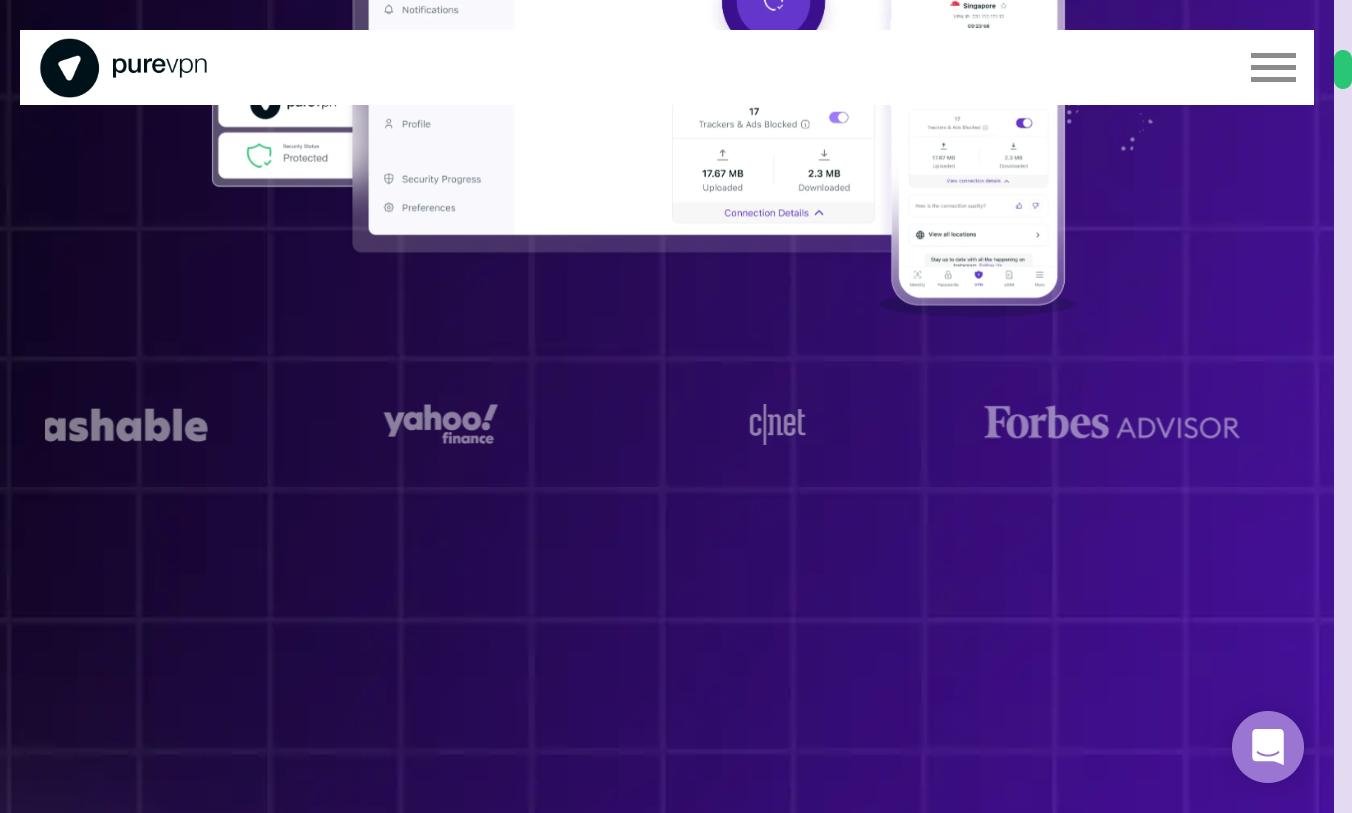
PureVPN covers every major platform:
- Windows (10, 11), macOS (10.15+), Linux (with both CLI and GUI)
- iOS (14+), Android (7+)
- Android TV, Amazon Fire TV Stick, Apple TV
- Routers (manual configuration, or applet for DD-WRT/Tomato/Asuswrt-Merlin)
- Browser extensions for Chrome, Firefox, Edge
The interface was redesigned in 2024: cleaner, less cluttered, more modern visual language aligned with current standards in the sector. The menu lists servers by category (Streaming, P2P, Optimised for gaming, by Country). One-click connection works, though the app remains a notch below ExpressVPN or NordVPN on raw polish.
Quick desktop walkthrough
When you open the app, you land on a central screen with the main connect button and the location list on the right. Three tabs at the top give access to the connection modes:
- Quick Connect — location chosen automatically
- Locations — pick a country or city
- Use Cases — Streaming, P2P, Security, Speed
Advanced settings (protocol, kill switch, split tunneling, auto-start) are grouped in a dedicated section. It’s readable but takes one or two more clicks than NordVPN for common options — minor friction, not a real flaw.
Mobile app
The mobile app (Android and iOS) is simpler than the desktop version: a big connect button, a country list, and a settings menu. On Android, per-app split tunneling is available — you can choose precisely which apps go through the VPN. On iOS, this option doesn’t exist (an Apple limitation), but the equivalent kill switch works via the VPN On Demand feature.
10 simultaneous connections included — you can cover the whole household (smartphone, computer, tablet, TV, router) at no extra cost, which is generous compared with CyberGhost (7) and Proton VPN (10).
Pricing, plans and the Max bundle

PureVPN offers three plans, structured around the Pure Square suite (the parent group, which includes PureKeep — a password manager — and PurePrivacy — a service that removes your personal data from data brokers).
| Plan | Duration | Price/month | Total | Includes |
|---|---|---|---|---|
| Monthly | 1 month | €11.95 | €11.95 | VPN only |
| Standard | 2 years | €1.99 | ~€47.76 | VPN only |
| Plus | 2 years | ~€2.49 | ~€59.76 | VPN + PureKeep |
| Max | 2 years | ~€2.99 | ~€71.76 | VPN + PureKeep + PurePrivacy |
The 2-year Standard plan starts at €1.99/month for VPN only — one of the lowest prices on the market — on par with Surfshark (€2.19) and just below CyberGhost (€2.03).
31-day money-back guarantee — one day longer than NordVPN (30) or Surfshark (30), notably shorter than CyberGhost’s 45 days. Plenty to test the service thoroughly before committing.
Watch out for the renewal price
As with most VPNs, the low price applies only to the first term (the first 24 months). At renewal, the subscription auto-renews at a higher rate — typically around €5-7/month on the Standard plan. Three ways to handle this:
- Disable auto-renewal as soon as you buy (in your account settings)
- Wait for the pre-renewal email and cancel in time
- Re-subscribe to a fresh 2-year plan at the promo rate (legal, and it works)
This practice is industry-standard — NordVPN, ExpressVPN, Surfshark all do the same. Worth noting and planning for.
Is the Max bundle worth it?
The Max bundle adds PurePrivacy (automatic removal of your personal data from hundreds of data brokers), a useful feature in 2026 — but one that overlaps directly with what DeleteMe ($129/year) or Incogni ($77/year) offer. If you were going to pay for that kind of service separately anyway, the Max bundle becomes very attractive. Otherwise, the Standard plan at €1.99/month remains the best value.
Customer support
We tested the live chat three times at different hours (French morning, afternoon, night):
- First contact in under a minute (24/7)
- Accurate answers on technical questions (kill switch configuration, server choice for BBC iPlayer, Asus router setup)
- Agents able to escalate to a Tier 2 when the question goes beyond the script
- English only — no French chat available
That’s the main flaw on the support side: if your English is limited, written assistance (via email; French is accepted but processed via machine translation) takes 12 to 24 hours to respond. The knowledge base, on the other hand, is well stocked, with illustrated tutorials for each platform.
For comparison: NordVPN and CyberGhost offer French chat 24/7. ExpressVPN too. A factor to weigh if you’d rather not switch to English in the middle of a serious technical issue.
PureVPN vs NordVPN vs Surfshark
| Criterion | PureVPN | NordVPN | Surfshark |
|---|---|---|---|
| Price (2-year plan) | €1.99/month | €3.09/month | €2.19/month |
| Money-back guarantee | 31 days | 30 days | 30 days |
| Servers | 6,000+ / 78 countries | 9,200+ / 129 countries | 3,200+ / 100 countries |
| Speed to USA (loss) | 46% | 20% | 25% |
| No-logs audit | KPMG x3 (always-on) | Deloitte 2023 | Deloitte 2023 |
| Streaming | Good | Excellent | Excellent |
| Simultaneous connections | 10 | 10 | Unlimited |
| Jurisdiction | British Virgin Islands | Panama | Netherlands |
| Port forwarding | (add-on) | No | No |
| Overall rating | 7.8/10 | 9.6/10 | 9.2/10 |
Comparison verdict: PureVPN wins on price, guarantee duration and port forwarding. NordVPN wins on speed, network and support. Surfshark wins on unlimited connections and overall value for money.
If you’re hesitating between the three, NordVPN remains our overall #1 pick and Surfshark our best value-for-money choice. PureVPN justifies itself if you want the absolute lowest price with a trusted jurisdiction, or if you specifically need port forwarding (rare in 2026).
For pure streaming, CyberGhost is still ahead thanks to its platform-tagged servers. For maximum privacy and open source, Proton VPN is more complete.
Who is PureVPN for?
PureVPN is a good pick if you want the lowest possible price on a serious, audited VPN, if you need port forwarding (rare in 2026 on consumer VPNs), if you want 10 simultaneous connections without paying the premium tier, if you appreciate the transparency of the “always-on” audits (few competitors do as well on this specific point), or if you want the PureKeep + PurePrivacy bundle in a single subscription.
Look elsewhere if you want absolute maximum speed (NordVPN is still ahead), if you need French-language customer support (PureVPN doesn’t offer it on chat), if you’re particularly sensitive to the 2017 history (Mullvad or Proton VPN have never had a comparable incident), or if you want the best streaming performance (CyberGhost and its catalogue of dedicated servers).
Our final verdict
PureVPN isn’t our #1 VPN — but it earns its place in the top 10. The 2017 history is worth knowing, but it’s no longer the same company: BVI jurisdiction, three continuous KPMG audits, modernised infrastructure. At €1.99/month on the 2-year plan, you get a solid, audited VPN that covers the essentials without major compromise.
Its real weaknesses: speed towards the US and Asia stays below the leaders, support isn’t available in French, and streaming works but without the simplicity of a CyberGhost. Its real strengths: an excellent price, audits among the most demanding on the market, port forwarding (which has become rare), and 10 simultaneous connections on every plan.
For anyone who doesn’t want to spend more than €2/month and demands a seriously audited VPN, PureVPN is one of the best options in 2026. For those who want the absolute #1, NordVPN remains our main recommendation. For those who want the best overall value, Surfshark is ahead.
Trying PureVPN risk-free for 31 days is probably the best way to make up your own mind — and it’s what we recommend.
✅ Strengths
- Great price on long-term plans
- No-log audit by KPMG
- Apps available everywhere
❌ Weaknesses
- Uneven speeds across servers
- Limited customer support