πŸ”₯ TOP DEAL NordVPN Up to 72% off View the deal β†’
Comparison

Best VPN for Mac 2026: the comparison tested on macOS

What's the best VPN for Mac in 2026? Comparison tested on macOS: native Apple Silicon app, speed, security, streaming, price. NordVPN, Proton VPN and Surfshark on the bench.

AvisVPN August 31, 2026

Our ranking

#1

NordVPN πŸ† #1 pick

9 200+ servers 129 countries 10 devices From 3,09€/mo

βœ… Fastest VPN thanks to the NordLynx protocol Β· No-log policy audited three times

#2

Proton VPN πŸ” Most secure

4 500+ servers 91 countries 10 devices From 4,49€/mo

βœ… Fully open-source, audited apps Β· Swiss jurisdiction (outside 14 Eyes)

#3

Surfshark πŸ’° Best value

3 200+ servers 100 countries Unlimited From 2,19€/mo

βœ… Unlimited simultaneous connections Β· Best value for money on the market

VPN Rating Price/month Servers Devices Refund Offer
NordVPN 9.6/10 3,09 €/mo 9 200+ 10 devices 30 d. See
Proton VPN 9.2/10 4,49 €/mo 4 500+ 10 devices 30 d. See
Surfshark 9.0/10 2,19 €/mo 3 200+ Unlimited 30 d. See

Best VPN for Mac in 2026

On macOS, a good VPN secures public Wi-Fi, unblocks streaming and protects your privacy. Contrary to popular belief, a Mac needs a VPN as much as a PC: the OS guards against malware, not against network interception or IP tracking. What sets them apart: native Apple Silicon app, speed, unblocking reliability and price.

The essentials

Best Mac VPN in 2026: NordVPN (most complete, fast native app), Proton VPN (open source, privacy, free plan), Surfshark (unlimited, cheap).

  • Pick a native Apple Silicon app (M1/M2/M3) for smoothness.
  • Enable the kill switch and connect-on-launch.
  • Free and safe: Proton VPN Free (native macOS app).
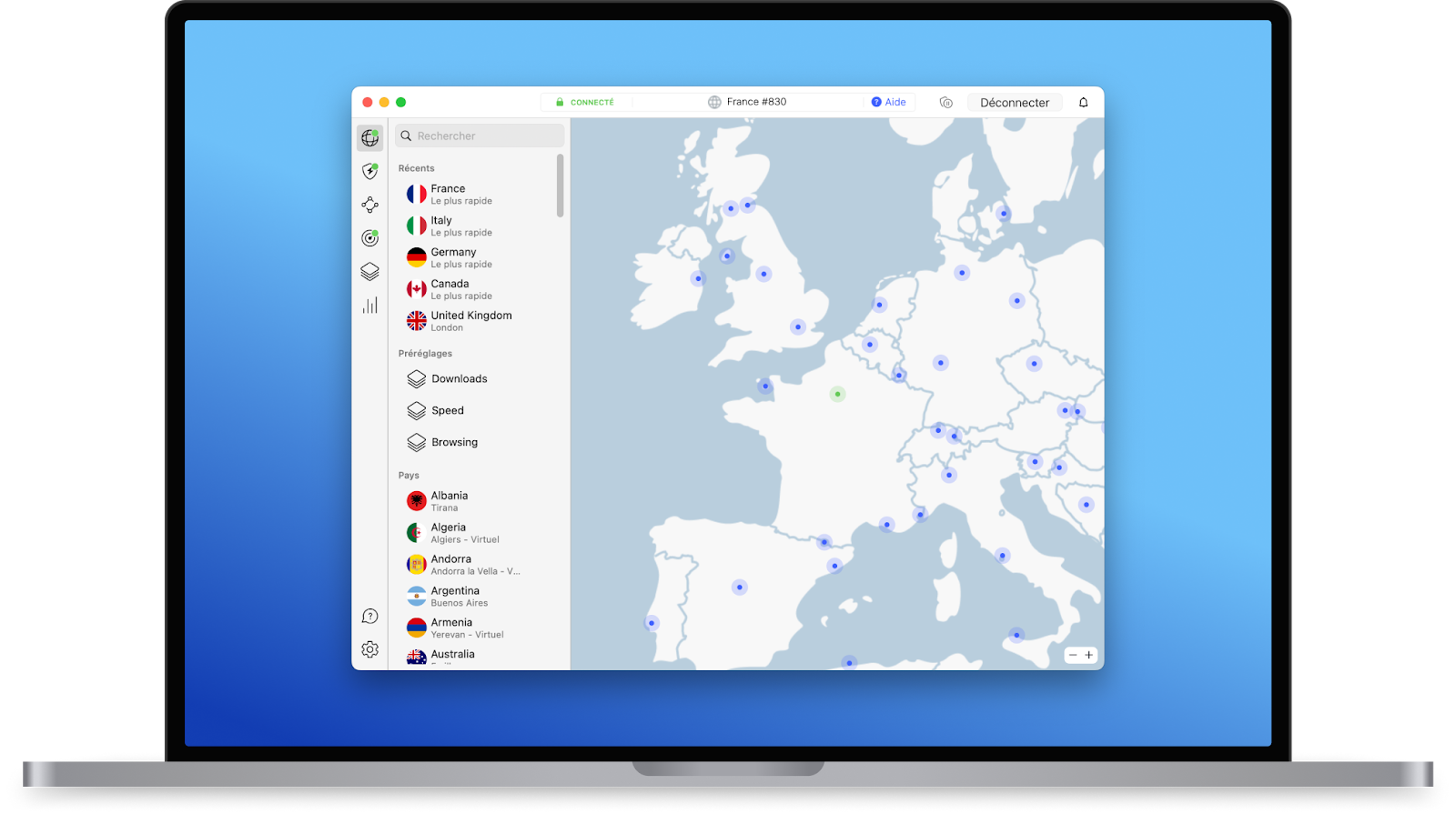
NordVPN app on Mac (macOS), connected: native app, server map and quick connect

How we chose

macOS criteria: native Apple Silicon app, real speed, unblocking reliability (Netflix, Disney+, BBC iPlayer), security features (kill switch, Smart DNS), price and simultaneous connections. The ranking reflects these tests.

Which Mac VPN for your profile

  • Most complete: NordVPN. Fast native macOS app, Threat Protection, streaming unblocking without hunting.
  • Privacy: Proton VPN. Open source, Swiss, native app, and the only genuinely usable free plan on Mac.
  • Best price / multi-device: Surfshark. Unlimited connections (Mac + iPhone + iPad + family).

Bottom line

On Mac, NordVPN is the most complete choice in 2026, Proton VPN the privacy reference (with a free plan), Surfshark the best value. 30-day guarantee or free plan: test risk-free.

Frequently asked questions

What's the best VPN for Mac in 2026?
NordVPN: native macOS app (Apple Silicon), fast (NordLynx), kill switch, Threat Protection, reliable streaming unblocking. Proton VPN: open-source, Swiss app, ideal for privacy, with a free plan. Surfshark: unlimited connections at the best price.
Do I need a VPN on Mac if macOS is considered safe?
Yes. macOS protects against malware, not against network interception on public Wi-Fi or IP tracking. A VPN encrypts your traffic and hides your IP, whatever the OS. It also unblocks geo-restricted streaming and bypasses censorship while travelling.
Do VPNs have a native Apple Silicon (M1/M2/M3) app?
Yes for the major VPNs: NordVPN, Proton VPN, Surfshark and ExpressVPN offer native Apple Silicon apps, smooth and battery-friendly on recent Macs. Avoid old emulated Intel clients, which are slower.
Is there a good free VPN for Mac?
Proton VPN Free: native macOS app, unlimited data, no logs, no card. It's the only genuinely recommendable free plan. Other free ones are limited or unreliable. To pick your country and stream, you need a paid plan.
How do I install a VPN on Mac?
Download the app from the VPN's official site or the Mac App Store, install it, allow the VPN configuration in System Settings > VPN when macOS asks, then connect. Enable the kill switch and connect-on-launch for permanent protection.

πŸ“¬ The best VPN deals, once a month

Negotiated offers, promo alerts and picks (NordVPN, Proton, ExpressVPN…). No spam, unsubscribe in one click.